Shopify Technical SEO Guide: Complete Optimization Checklist 2026
Complete Shopify technical SEO guide with core web vitals, site structure, speed optimization, and structured data strategies. From setup to ranking higher in 2025.
SEOBaby

Technical SEO for Shopify means optimizing the behind-the-scenes elements that help search engines understand, crawl, and rank your store. This includes site structure, page speed, Core Web Vitals, internal linking, structured data, and mobile responsiveness. When implemented correctly, technical SEO can significantly improve your visibility on Google and AI search engines. The good news: SEOBaby handles most technical SEO automatically, letting you focus on selling while we ensure your store is fully optimized for search engines and AI platforms.
Why Technical SEO Matters for Your Shopify Store
Shopify's native platform automatically handles many technical SEO elements like generating XML sitemaps, adding canonical tags, and ensuring mobile-friendly design. However, this doesn't mean your work is done. According to search engine data, stores that go beyond the basics and optimize their site structure, page speed, and internal linking see 30-50% higher organic traffic within 6 months.
The challenge: most Shopify store owners don't know where to start. They're invisible to AI search engines, struggling with slow page loads, or accidentally creating duplicate content issues. That's why we created this technical SEO guide – to give you the roadmap.
1. Master Your Site Structure for Search Engines
Site structure is the foundation of technical SEO. A well-organized structure helps both search engines and customers understand your store's hierarchy, making it easier to find and rank your most important pages.
The Ideal Shopify Site Hierarchy
Follow this structure: Home Page → Collections → Sub Collections → Product Pages. Every important page should be accessible within three clicks from your homepage. This prevents product pages from being buried in submenus where search engines may not crawl them effectively.
- Homepage: Your main entry point. Link to your most important collection categories.
- Collection Pages: Organize products by category (e.g., /collections/skincare). These pages should have unique descriptions, not auto-generated content.
- Sub Collections: Further organize larger categories (e.g., /collections/skincare/acne-treatment). Optional but recommended for stores with 50+ products.
- Product Pages: Individual product listings with unique titles, descriptions, high-quality images, and customer reviews.
Optimize your Shopify store's internal navigation by ensuring your main menu highlights key collections, making it easy for both crawlers and customers to discover important pages.
2. Optimize Page Speed and Core Web Vitals
Google uses Core Web Vitals as a ranking factor. Stores that meet Google's Core Web Vitals thresholds see better search rankings and higher conversion rates. The three metrics you need to monitor are:
| Metric | What It Measures | Target (Good) | How to Improve |
|---|---|---|---|
| Largest Contentful Paint (LCP) | How fast your largest element loads | Under 2.5 seconds | Optimize images, reduce JavaScript, use a CDN |
| Interaction to Next Paint (INP) | How quickly the page responds to user input | 200 milliseconds or less | Minimize JavaScript execution, use efficient code |
| Cumulative Layout Shift (CLS) | How much your layout shifts while loading | Below 0.1 | Reserve space for ads/images, avoid unsized elements |
Immediate Speed Improvements for Shopify
- Compress Images: Use Shopify's free image resizer or tools like TinyPNG to reduce file sizes before uploading. Unoptimized images are the #1 reason for slow Shopify stores.
- Choose a Performance-Focused Theme: Some themes load faster than others. If your store is slow, consider switching to a lightweight theme.
- Audit Apps: Third-party apps slow down your store. Disable unused apps and remove tracking code for closed sales channels.
- Leverage Shopify's Global CDN: Shopify automatically uses a content delivery network (CDN) to serve your store faster worldwide.
Learn more about optimizing product images for both SEO and speed.
3. Build a Strategic Internal Linking Structure
Internal linking is how you guide search engines through your store and distribute ranking power to important pages. A strong internal linking strategy connects pages with relevant content, helping search engines recognize your topical authority.
Key Takeaways for Internal Linking
- Link from High-Authority Pages: Your homepage and collection pages have the most authority. Link from these pages to your target product pages.
- Use Descriptive Anchor Text: Instead of "Click Here," use "Best Vitamin C Serum for Sensitive Skin." This tells search engines what the linked page is about.
- Create Topic Clusters: Link related products together. If you have a "Vitamin C Serum" page, link to related products like "Serums for Oily Skin" or "Antioxidant Products."
- Avoid Orphaned Pages: Make sure every product page is linked from at least one collection page or your navigation menu.
- Natural Linking: Don't force links into content just for SEO. Every link should provide value to the reader.
Discover how to optimize individual product pages for on-page SEO while building an effective linking strategy.
4. Fix URL Structure and Avoid Duplicate Content
Shopify automatically follows SEO best practices for URLs: they're simple, readable, and keyword-rich. However, you need to manage duplicate content issues that can hurt your rankings.
URL Best Practices
- Use Clear, Descriptive URLs: /products/vitamin-c-serum-sensitive-skin is better than /products/item123456
- Keep URLs Short: Shorter URLs are easier for users to share and remember.
- Use Hyphens Between Words: Shopify automatically does this, but avoid underscores or special characters.
- Avoid Unnecessary Parameters: Filter URLs like ?color=red&size=large create duplicate content. Use robots.txt or noindex to handle these.
Prevent Duplicate Content Issues
Shopify automatically adds canonical tags to your product and collection pages, telling search engines which version is the "main" page. However, watch out for:
- Variant URLs: Product variants (different sizes/colors) might create separate URLs. Use canonical tags to point to the main product page.
- Collection Filters: Faceted navigation creates filtered URLs. Use noindex on filter-only pages.
- Sorted Collections: "Sort by price" creates new URLs. These should either be noindexed or canonicalized to the main collection.
Monitor your URL issues in Google Search Console to catch and fix duplicate content problems before they impact your rankings.
5. Implement Structured Data (Schema Markup)
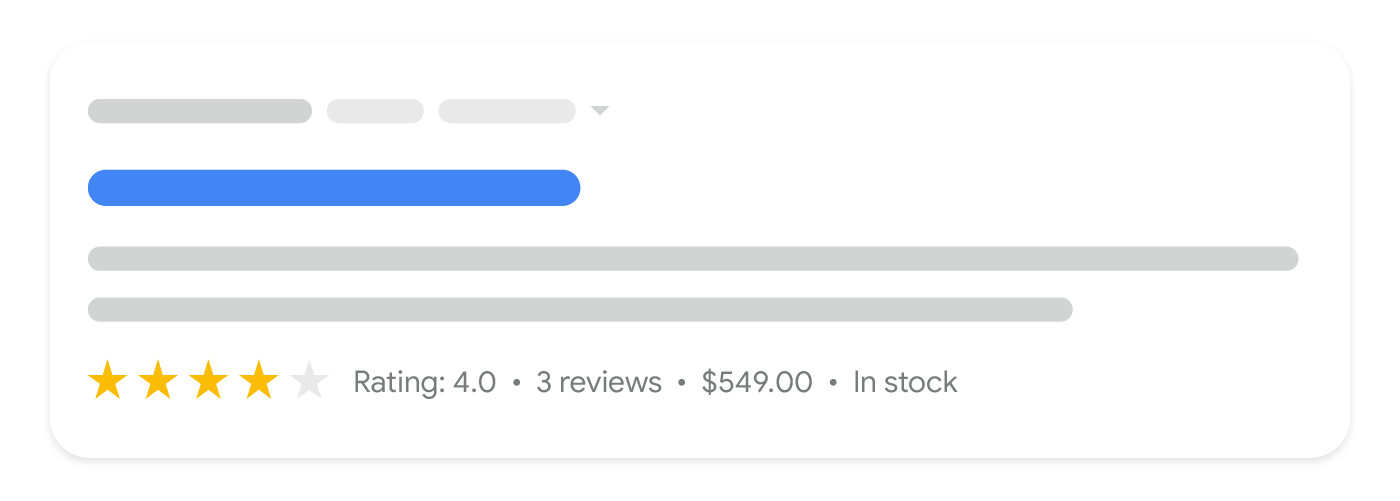
Structured data helps search engines understand your content and enables rich snippets in search results – like product prices, ratings, and availability appearing directly in Google. Modern Shopify themes automatically include product schema markup, enabling rich results that can significantly increase click-through rates.
Key Schema Types for Shopify Stores
- Product Schema: Includes price, availability, product description, and images. Rich snippets show rating stars directly in search results.
- Review Schema: Displays customer ratings and review counts in search results, increasing click-through rates by 20-30%.
- Organization Schema: Your business name, logo, contact information, and social profiles appear in knowledge panels.
- Breadcrumb Schema: Shows the hierarchy of your pages in search results, improving user experience and CTR.
Ensure your product descriptions are high-quality and schema-optimized to maximize your visibility in both Google and AI search engines.
6. Ensure Mobile Responsiveness and Accessibility
Google indexes mobile-first. This means the mobile version of your store is what Google uses to rank you. All Shopify themes are automatically mobile-responsive, but you should still test your store across different devices.
Mobile SEO Checklist
- Test Across Devices: Use Chrome DevTools or Google's Mobile-Friendly Test to ensure your store displays correctly on phones and tablets.
- Check Touch Targets: Buttons should be at least 48x48 pixels so users can tap them easily.
- Fast Mobile Load Times: Mobile users have less patience. Aim for under 3-second page loads on 4G.
- Readable Text: Font sizes should be 16px or larger. Don't make users zoom to read.
- Accessible Navigation: Your menu should work on mobile. Avoid dropdown menus that are hard to navigate on touch devices.
7. Use Google Search Console to Monitor Crawl Health
Google Search Console is your direct line of communication with Google. Use it to identify and fix crawl errors, review your sitemaps, and monitor your keyword rankings.
Key Actions in Google Search Console
- Submit Your Sitemap: Go to Sitemaps and submit your Shopify sitemap (usually /sitemap.xml). Google uses this to discover all your pages.
- Check for Crawl Errors: Review the Coverage report to identify pages Google can't crawl or index.
- Fix Broken Links: The Links report shows internal and external links that return errors. Fix 404 errors with 301 redirects.
- Monitor Core Web Vitals: The Core Web Vitals report shows your performance status. If you're in the "Poor" category, prioritize improvements.
- Review Indexing Issues: Make sure your product and collection pages are being indexed, not blocked by robots.txt or noindex tags.
Check Google Search Console regularly – ideally monthly – to stay ahead of technical issues before they impact your rankings.
8. Optimize for AI Search Engines
Beyond Google, your store needs to be visible in AI search engines like ChatGPT, Perplexity, Claude, and Gemini. These platforms pull answers from high-authority, well-structured content.
AI Search Optimization Tactics
- Publish High-Quality Content: AI engines favor comprehensive, authoritative articles over thin product descriptions. Write detailed guides and comparison content.
- Structure Content Clearly: Use proper heading hierarchies (H1, H2, H3), bullet points, and tables. AI engines extract structured data more effectively.
- Answer Common Questions: Create content targeting common customer questions like "What's the best product for sensitive skin?" or "How do I use this product?"
- Include Data and Numbers: AI loves statistics and specific facts. Include pricing, availability, shipping times, and real customer reviews.
- Avoid Duplicate Content: AI engines penalize sites with thin or duplicate content across multiple pages.
The SEOBaby Advantage: Technical SEO Made Simple
Implementing this Shopify technical SEO guide takes time. Most store owners either skip these steps, do them incorrectly, or spend 100+ hours getting it right. That's where SEOBaby comes in.
We automate the entire technical SEO process for your Shopify store:
- Automated site structure optimization and internal linking
- Structured data (schema markup) implementation across all product pages
- Core Web Vitals monitoring and optimization
- Duplicate content detection and resolution
- AI search engine optimization (ChatGPT, Perplexity, Gemini, Claude)
- Monthly crawl health reports and error fixing
Unlike agencies charging $5,000 – 15,000/month or freelancers who ghost you after setup, SEOBaby works hands-off. Set it once, and your technical SEO runs on autopilot. Most stores see 2-4x organic traffic growth within 4-6 months.
| DIY | Freelancer | Agency | SEOBaby | |
|---|---|---|---|---|
| Setup Time | 100+ hours | 50-80 hours | 20-30 hours | 5 minutes |
| Monthly Cost | $0 (your time) | $1,500 – 3,000 | $5,000 – 15,000 | $199 – 499 |
| Ongoing Maintenance | 10+ hours/month | Inconsistent | 10-15 hours/month | Automated |
| Results Timeline | 6-12 months | 3-6 months | 3-6 months | 2-4 months |
| Support Quality | None | Often ghosts | Good but slow | Always available |
Start scaling your Shopify store with hands-off technical SEO today. Book a call to see how SEOBaby can help you go from 0 to 1,000 organic visits/month.
Key Takeaways
- Site Structure Matters: Use a clear hierarchy (Home > Collections > Sub Collections > Products) and keep important pages within 3 clicks of your homepage.
- Speed Wins Rankings: Optimize images, choose a fast theme, and audit apps to meet Core Web Vitals thresholds.
- Internal Linking Distributes Authority: Link strategically from high-authority pages to target product pages using descriptive anchor text.
- Structured Data Boosts CTR: Schema markup enables rich snippets showing ratings, prices, and availability directly in search results.
- AI Search Is Growing: Optimize for ChatGPT, Perplexity, and other AI engines by publishing authoritative, well-structured content.
- Monitor with Google Search Console: Check regularly for crawl errors, indexing issues, and Core Web Vitals performance.
- Automation Scales Results: Tools like SEOBaby handle technical SEO automatically, freeing you to focus on growing your business.